Invoices · Estimates · Payments · Booking
Send the invoice before you leave the driveway.
Bill the job from your phone while you're still parked outside. Your client pays by card from the link, and you get a notification when the money arrives.
- Free to start
- Card, Apple Pay, Google Pay
- Works offline
M. Keller Sanitär
Hauptstraße 14
80331 München
Bayern
Deutschland
keller@sanitaer-muenchen.de
Invoice
Bill to
Café Rosenthal GmbH
Marienplatz 8
80331 München
Deutschland
| Description | Unit price | Qty | Tax | Subtotal |
|---|---|---|---|---|
| Emergency call-out | 95,00 € | 1 | 19% | 95,00 € |
| Labour, on site | 78,00 € | 3,5 hrs | 19% | 273,00 € |
| Mixer tap, brushed steel | 142,00 € | 1 | 19% | 142,00 € |
| Seals and fittings | 18,50 € | 2 | 19% | 37,00 € |
| Waste disposal | 45,00 € | 1 | 19% | 45,00 € |
Thank you for your business.
Payable within 14 days, no deductions.
Bank details
DE89 3704 0044 0532 0130 00
Inside the app
From the job to the money in the bank.
All of this is in the app today, on iPhone, Android and the web.
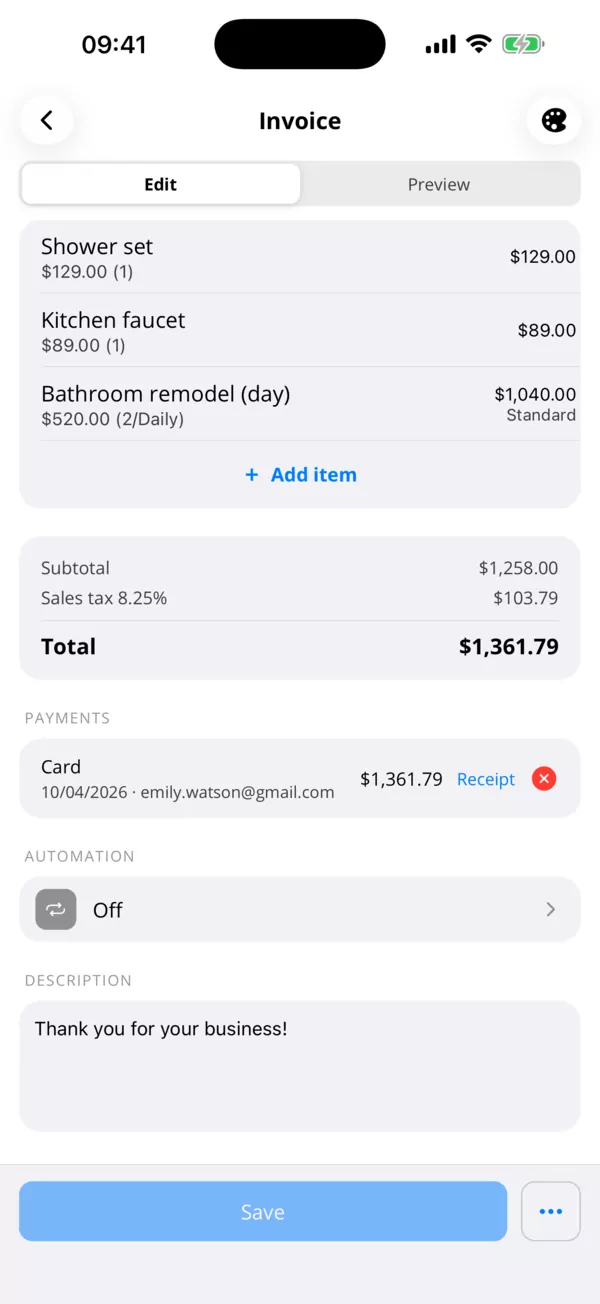
01 · Card payments
Clients pay straight from the invoice.
Every invoice link and PDF gets a Pay button. Your client pays by card, Apple Pay or Google Pay, and the money goes to your own Stripe account.
- The invoice marks itself paid
- Refunds made in Stripe show on the invoice
- Cash and bank transfers recorded too
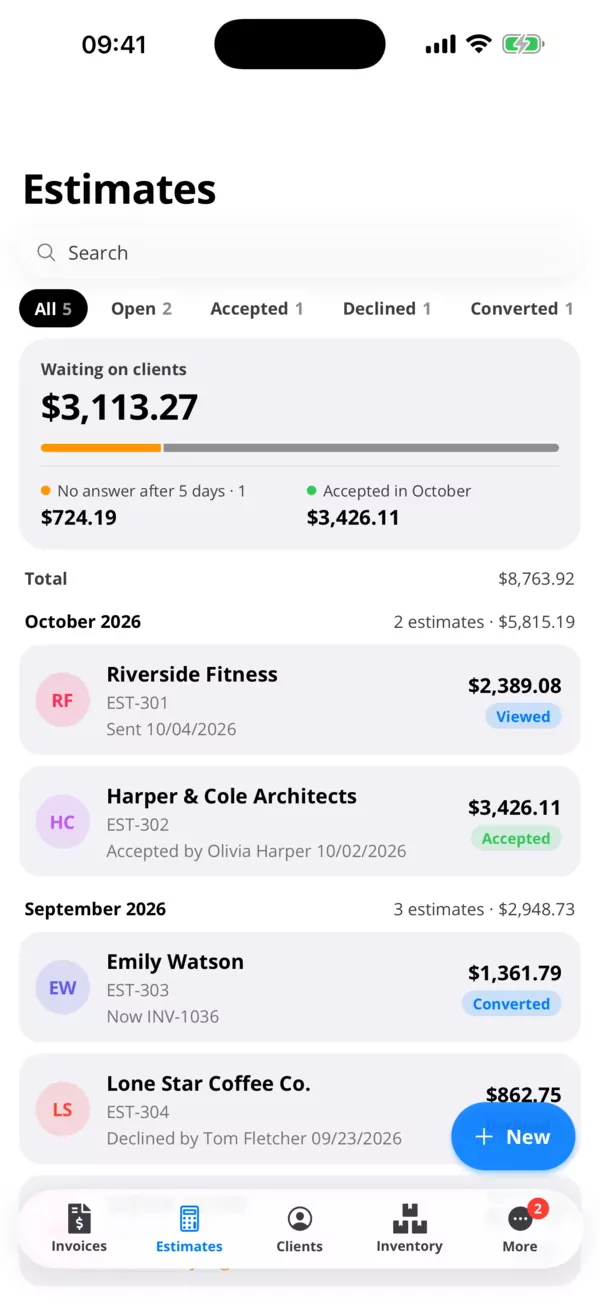
02 · Opened
See when they've opened it.
A notification the moment your client opens an invoice or estimate. They accept the estimate from the same link, and you turn it into an invoice in one tap.
- Viewed, accepted and declined at a glance
- Estimate to invoice in one tap
- Know who to follow up with
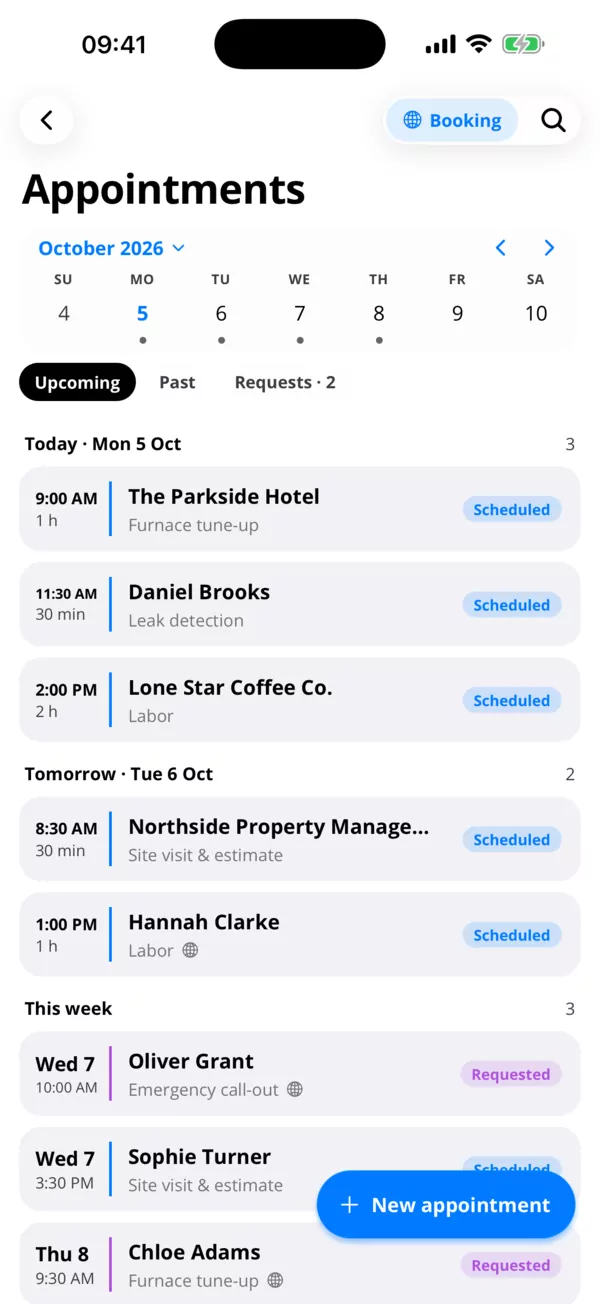
03 · Booking
Clients book you online.
Your own booking page and QR code. Requests land in your appointments, you confirm them, and the client gets an email with a calendar file.
- Approve each booking or confirm right away
- Reminders, synced with your phone's calendar
- Turn the finished job into an invoice
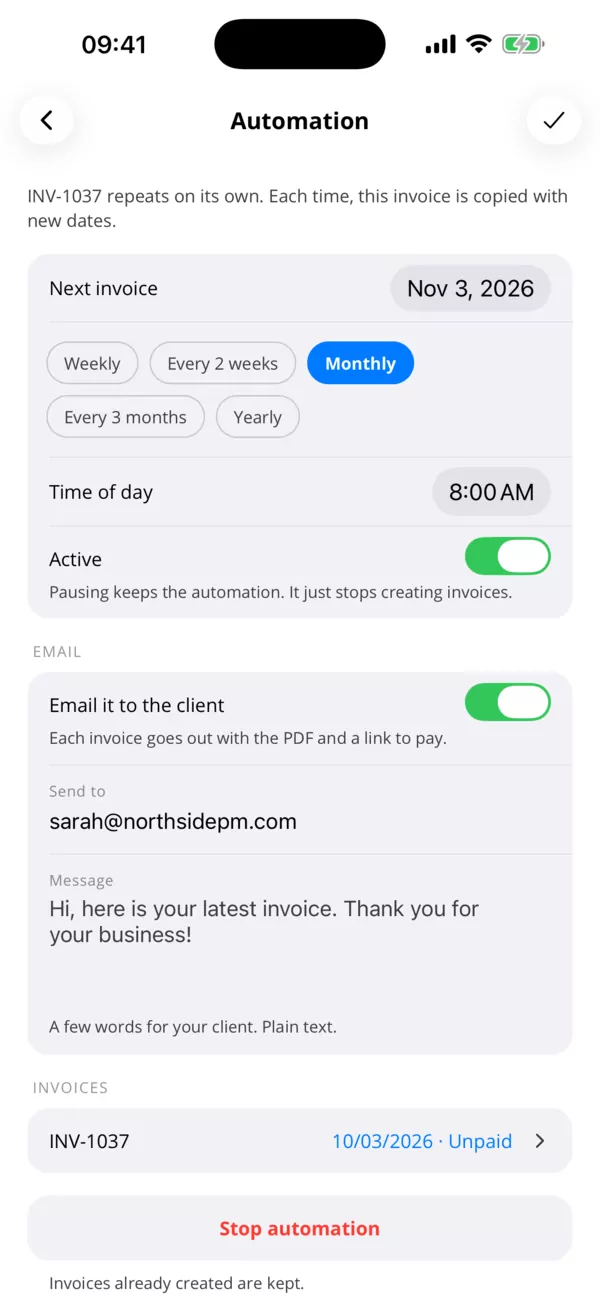
04 · Recurring
Invoices that send themselves.
Weekly, every two weeks, monthly, every three months or yearly. Each invoice is created on schedule and emailed to your client with the PDF and a link to pay.
- Pick the time of day it goes out
- Pause or stop it at any time
- Every copy stays in your invoice list
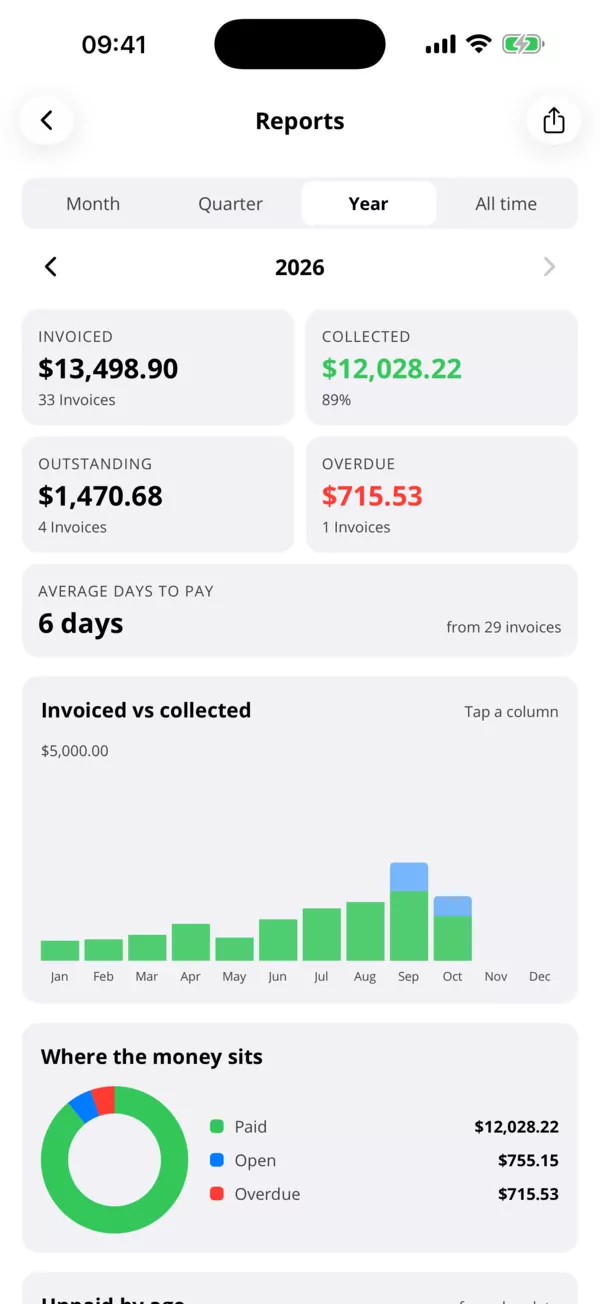
05 · Reports
Know who owes you what.
Invoiced against collected, what's open and overdue, and how long clients take to pay. By month, quarter, year or all time.
- Overdue amounts up front
- Average days to pay
- Share the report as a PDF
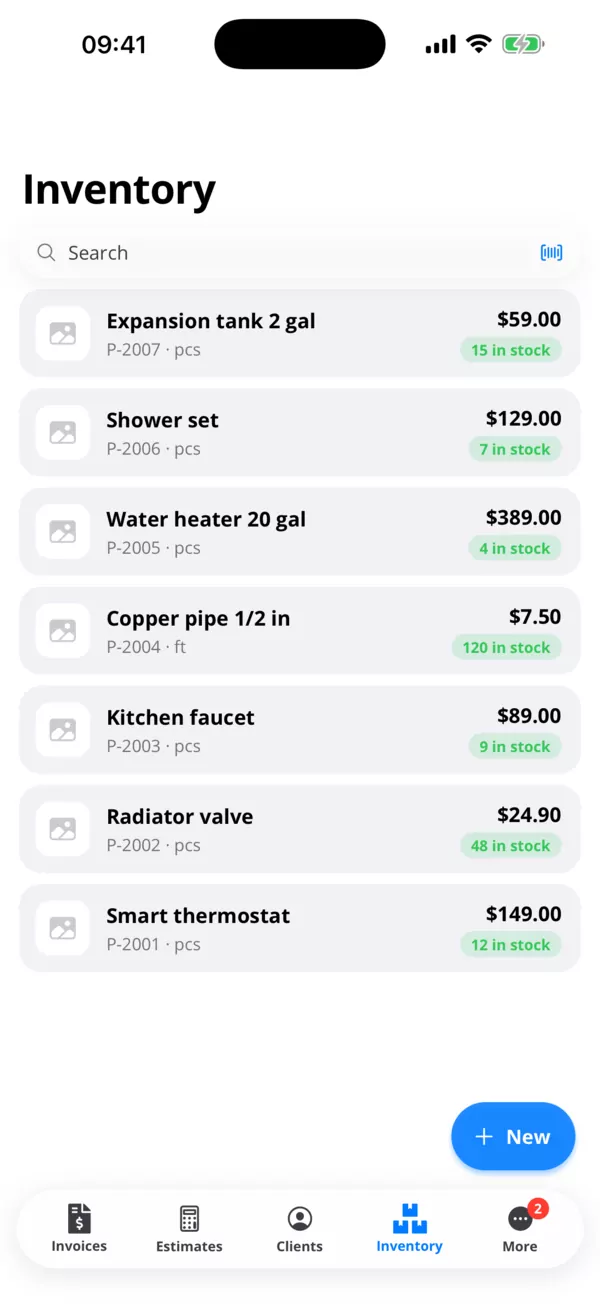
06 · Catalog
Clients, products and services on file.
Import clients from your contacts. Add products with barcodes, units and stock, and services billed by the hour, day, session or a fixed price.
- Scan barcodes with the camera
- Stock count on every product
- Call, email or map a client in one tap
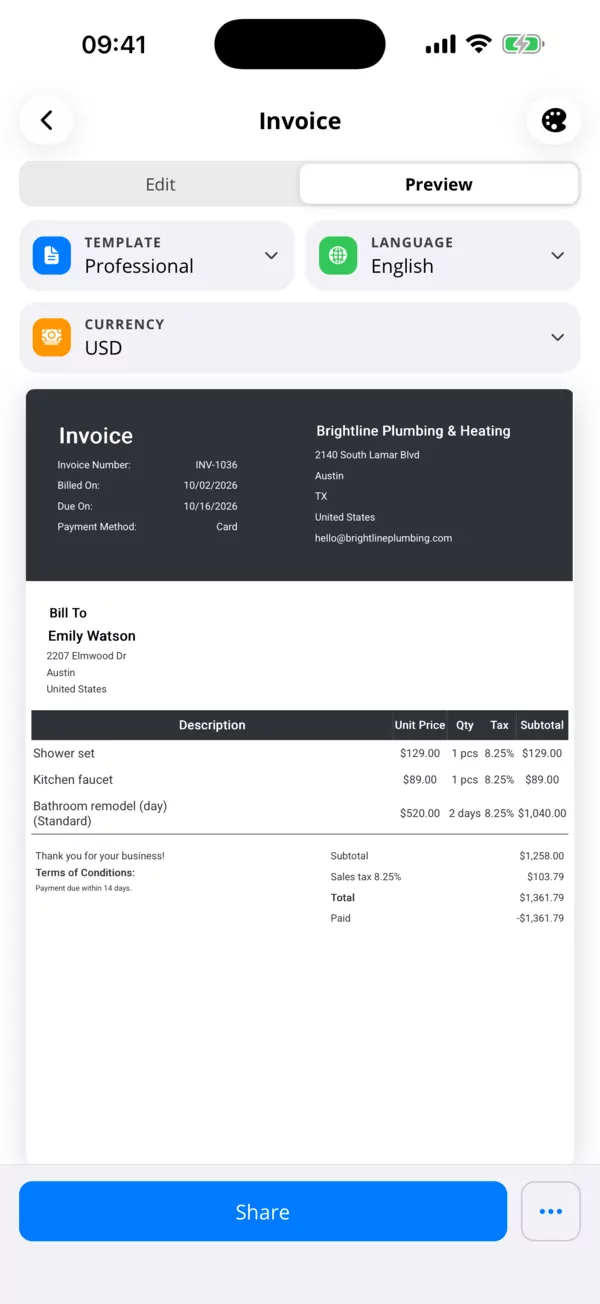
07 · Templates
Looks like your business.
Five templates with your logo, colours and signature. Write the invoice in your client's language and currency, whatever your phone is set to.
- A4 PDF or 80 mm receipt
- Save a style and reuse it
- Your own numbering and prefix
Also included
The details an invoice needs.
The small things you'd miss if they weren't there.
Receipts and thermal printers
An 80 mm receipt template for Bluetooth and USB receipt printers. A4 for everything else.
Tax stated properly
A breakdown per rate on the document, your own tax note, discounts, and a default rate that fills itself in.
Bank details on the PDF
Your IBAN and payment terms on the invoice, for clients who pay by transfer.
Sign with your finger
Add your signature once and it goes on every document.
Six languages, any currency
The app in yours, the invoice in your client's. Currency and date format follow the document, not the phone.
Works offline
Save in a basement with no signal. It syncs when you're back.
Phone, tablet and web
One account on iPhone, iPad, Android and in the browser, always in sync.
Send it any way
Share the link or the PDF by email, WhatsApp or whatever your client uses.
Pricing
Priced like a line item.
Start free and stay free if that's all you need. Upgrade when the invoices outgrow it.
Localised, not translated-ish
Six languages, end to end.
The interface, the PDF templates, the dates and the currency — all of it, not just the buttons.
- English
- Deutsch
- Español
- Français
- Português
- Italiano