Free estimate maker
Send the quote today. Invoice the job tomorrow.
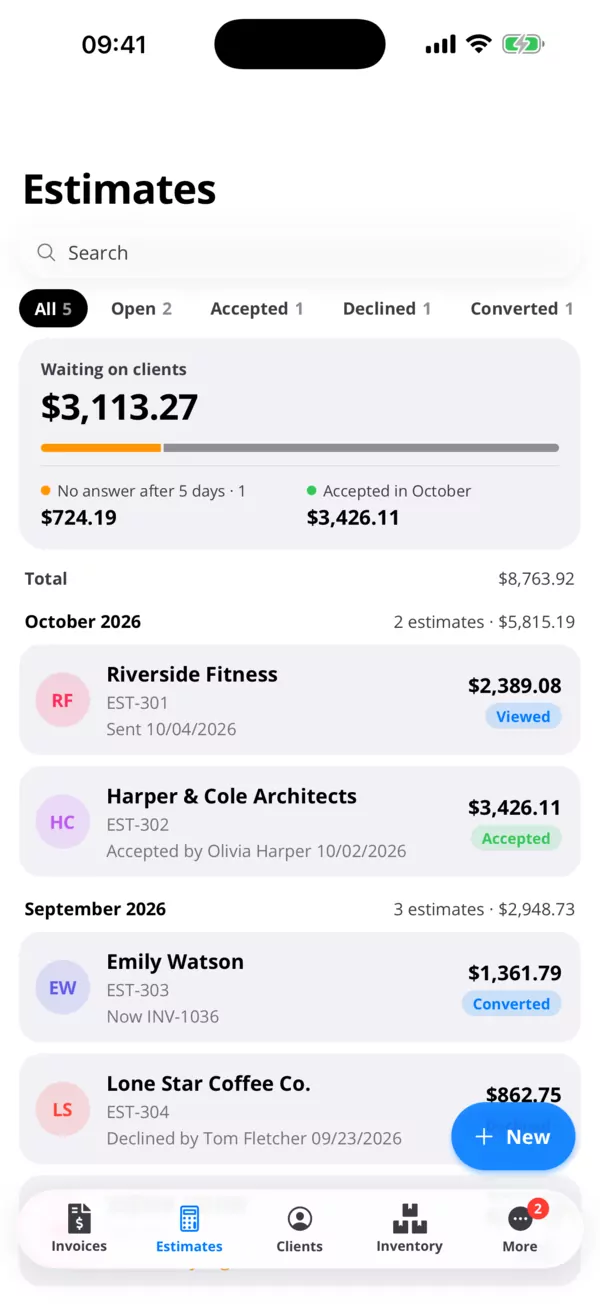
Make an estimate in your browser, send it as a link, and see when your client opens it. They accept from the link, and the estimate becomes an invoice in one click. Free, with no limit.
Invoices
Outstanding
22.918,59 €
- CCCreative ConsultingINV-0043 · Due in 4 days · Viewed 19/10/2026628,69 €Unpaid
- DJDiego JensenINV-0041 · 27/09/2026 → 11/10/202668,00 €Overdue 18 days
- ASAltmark SARLINV-0038 · 08/09/2026 → 22/09/20264.898,38 €of 11.605,38 €Overdue about 1 month
- SLSofia LarsenINV-0036 · Paid 08/09/2026638,21 €Paid
How it works
- 01
Write the estimate
Client, lines, quantities and tax. Pull products and services from your list so the prices are right.
- 02
Send it
As a link or a PDF. You get a notification when the client opens it.
- 03
Turn it into an invoice
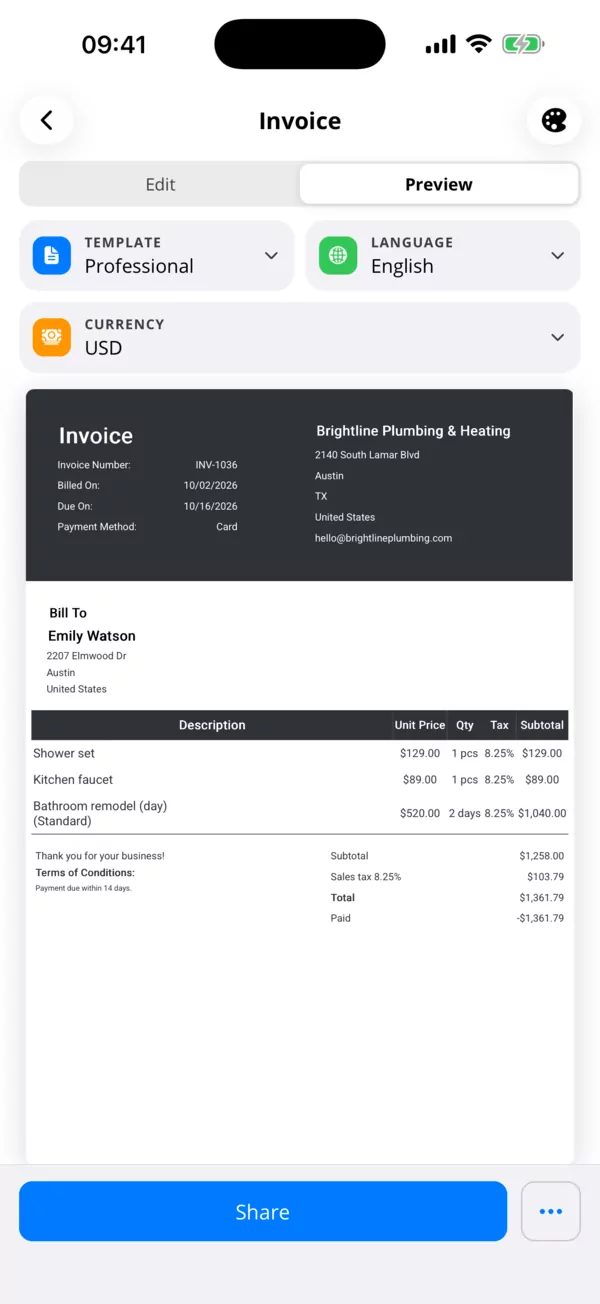
Once it's accepted, one click makes the invoice, with every line carried over.
For your client
Accept with one tap.
The estimate opens in any browser. Your client reads it and accepts or declines right there, and you see the answer in your list.
- Accepted or declined from the link
- Notification when it's opened
- No app or account needed for the client
For you
Prices you don't have to look up.
Keep your products and services on file, billed by the hour, day, session or a fixed price. Add them to an estimate in a couple of clicks.
- Products with stock and barcodes
- Services by hour, day or session
- Your logo and signature on every estimate
Questions
- Is it free?
- Yes, in the browser, with no limit on estimates. The phone apps are free for 5 estimates a month, and Pro comes with a 7-day free trial.
- Estimate or quote, what's the difference?
- Most people use the words for the same thing. Call it whatever your clients expect.
- Does my client need an account?
- No. They open the link in a browser and accept or decline there.
- Can I edit an estimate after sending it?
- Yes. Change it and share it again, and the client gets the new version.
- What happens when they accept?
- You see it in your list. Turn it into an invoice with one click when the work is done.
- Can I mark an estimate accepted myself?
- Yes, for clients who say yes by phone or in person.
Quote the next job in a few minutes.
Free in the browser, with no limit. Also on iPhone and Android.